Features
Everything in 1.0.
Nothing held back for later.
Sigilkeep keeps your files in encrypted vaults that live wherever you like: on your device, a USB stick, a NAS or your own cloud folder. Version 1.0 runs on Mac, iPhone and iPad.
One place for every vault tool
Unlock methods, recovery kits, quick unlock, folder passwords, health checks, backups and imports all sit under Vault tools, in plain words.

Unlocking
Strong by default, with as many ways in as you choose. There is no reset and no recovery service, so only you can open a vault.
- Password and keyfileA password on its own, or with a keyfile you keep somewhere else, such as a USB stick.
- YubiKey and passkeyAdd a hardware key or passkey as an extra way in.
- Any 2 of 3 keyfilesSplit access across three keyfiles, so losing one is not the end.
- Hardware-key-only vaultsA vault that opens only with your security key.
- Device-locked vaultsThe key is kept in your device’s secure chip and never leaves it.
- Face ID, Touch ID and Apple WatchQuick unlock for a set number of days. Your password is asked for again after a restart or when the days run out.
- Recovery and legacy kitA recovery key you print or store, whole or split into 3 parts where any 2 open the vault.
- Fresh keysMake a copy of a vault under brand-new keys whenever you want a clean start.
Privacy and safety
Built for the moments that matter: a crossing, a shared screen or a lost phone.
- Decoy vaultA second password opens a harmless vault instead of the real one.
- Hidden vaultA second space inside a vault that shows no sign it exists.
- Folder passwordsLock a single folder with its own password.
- Burner vaultA vault that lives only in memory and is gone when you lock it.
- Lock everythingOne button, or Shift Command L, locks every vault and clears the keys from memory. Siri and Shortcuts can do it too.
- Lock rulesLock when your Mac sleeps, when the screen locks or when the app goes to the background, and clear the clipboard after a set number of seconds.
- Screen protectionScreen recordings and the app switcher show a blank cover, not your files.
- Photo location removalLocation and camera details are removed from photos as you add them, if you want.
- Leftover finderFinds plain copies of vault files left behind on your device.
- Control Centre and lock-screen controlsLock every vault without opening the app.
Files and notes
Open, edit and organise without ever leaving a plain copy behind.
- Viewer with no temporary copiesPhotos, PDFs and documents open straight from the vault, decrypted only in memory.
- Quick Look on the MacPress space to preview, with no decrypted copy on disk.
- ThumbnailsSmall previews are made on your device and kept encrypted in the vault.
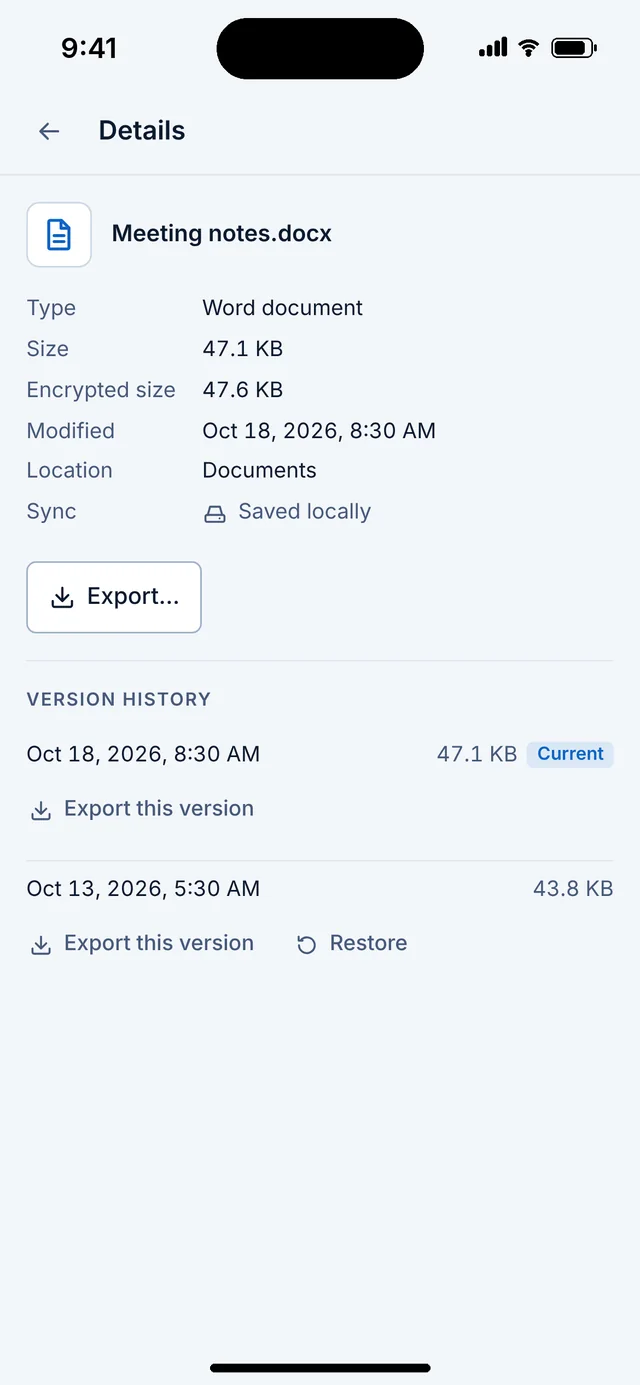
- Versioned historyEvery change keeps an earlier version you can export or restore.
- Deleted itemsA bin that empties itself after the number of days you choose.
- Encrypted notesWrite notes that are stored and searched inside the vault.
- Ask your vaultAsk a question about your notes and get an answer with its sources, from AI that runs only on your device.
- PDF toolsKeep some pages, rotate, combine, sign and black out text. Blacked-out text is removed, not just covered.
- Encrypted searchFind text inside your files. The search index is encrypted, stays on this device and is never synced.
- Tags, expiry reminders and duplicatesTag files, get reminded before a document expires, and find duplicates.
- Scan documentsScan with the camera straight into a vault on iPhone and iPad.
- Share sheet and FinderSend a file to Sigilkeep from any app, or move it in from Finder.
Sync and storage
Your cloud, your NAS or no cloud at all. Sigilkeep never talks to a cloud provider itself.
- Any cloud folderiCloud Drive, Dropbox, OneDrive, Google Drive, Nextcloud or Syncthing, on every device.
- Files appYour unlocked vault appears in the Files app on iPhone and iPad.
- Online-only foldersFiles stay in the cloud until you open them.
- Two-cloud mirrorKeep an identical copy of a vault in a second place.
- Local Wi-Fi syncSync between your own devices over your home network, with no cloud.
- NASOpen vaults on a home NAS directly, with no sync app in between.
- Space alertsA warning before your cloud or disk runs out of room.
- Conflicts, merge and splitResolve two edits side by side, and move, merge or split vaults.
- Open as a drive on the MacUse a vault like a disk, with rules for which apps may see it.
Backups and health
Know your vault is whole, and be able to bring it back when it is not.
- Health checkChecks every file and tells you in plain words what it found.
- Repair dataExtra data that fixes damage from failing disks, and repair from a backup copy.
- Scheduled backupsEncrypted backups to a USB drive or NAS on a schedule you set.
- Cold archiveExport a sealed archive for USB or M-DISC storage.
- Shortcuts and command lineCheck vaults, lock everything or run backups from Shortcuts, Siri or a script.
- Post-quantum careFiles are sealed with 256-bit symmetric keys, and Wi-Fi sync and hand-offs add ML-KEM to the key exchange.
- Move in from other appsBring vaults over from Cryptomator and VeraCrypt, and hand-offs from Lumenkeep and Cipherkeep.
Every Apple device
One purchase covers them all.
- MacA full desktop app for Apple silicon and Intel Macs.
- iPhone and iPadIncluding foldable iPhones, with the layout adapting as you unfold.
- Apple WatchUnlock and lock-all from your wrist.
- Apple TVView photos from a vault on the big screen.
- Apple Vision ProYour vaults in your space.
- AccessibleVoiceOver, Dynamic Type, keyboard control and reduced motion throughout.

Ask your vault, privately
Ask “when does my passport expire?” and get the answer with the note it came from. The model runs on your device. Nothing is sent anywhere.
Health you can read
The health check, storage report, deleted items and repair tools speak plainly, so you always know where your vault stands.

Free and Pro
Security features are never held back for Pro. Pro is a one-time purchase in the App Store that unlocks the extras for convenience, with no subscription. See pricing
Coming in version 2 in 2028, free for Pro owners: Android, Windows and Linux apps, a portable USB copy, and more. See the roadmap